
Version 0.2.4, released 2026-11-23. Changelog
KyPanel Install

Migrate accounts from another panel

KyPanel restores KyPanel backups. A backup from another panel is converted into one first, analyzed, and then restored. The old server is never modified, and KyPanel never connects to it: you bring the backup file to the new server.

How a migration goes

Make an account backup on the old panel, the usual way that panel makes one. Upload it in Import Tools › Convert Backup, or copy it to /home on the KyPanel server and choose it there. The format is detected from the file.

The converted backup is analyzed before anything is created: what it holds, and any conflict with the server, such as a username or domain already taken, a database name in use or a missing PHP version. You rename, skip or replace, then apply. With no conflict, the account is created right away.

Customers can convert their own backup in their panel too, under Files › Convert Backup.
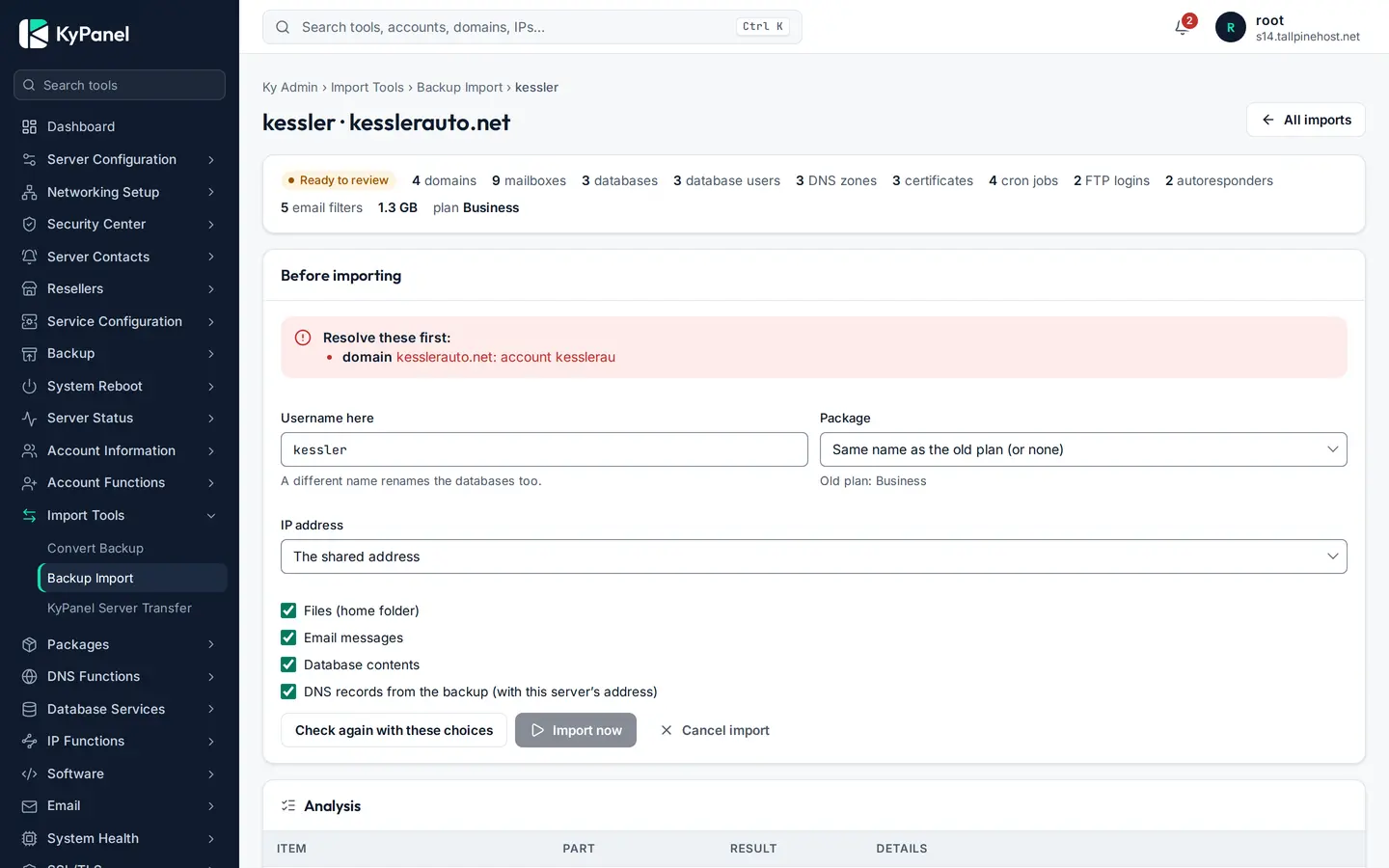
Import report of a converted cPanel account, with a domain conflict to resolve
The report of a converted account, waiting on a conflict.

What comes along

AccountUsername, main domain, addon, sub and parked domains, contact email, package limits, and the account's password when it's in a format KyPanel uses
FilesThe home folder, with document roots at the same paths
EmailMailboxes with their mail and passwords, forwarders, domain forwarders, autoresponders, filters and default addresses
DatabasesMySQL and MariaDB databases, users with their passwords and grants, named with the account's prefix
DNSZones, with the old server's IPs rewritten to the new one, and the DKIM keys
SSLInstalled certificates and keys
OtherCron jobs, SSH keys, extra FTP accounts and the suspension state

What each panel's backup holds differs. Each page below says how that panel's accounts map to KyPanel and what isn't converted. A password in a format KyPanel doesn't use is listed in the report, and that login gets a new password.

Source panels

cPanel
cpmove files from pkgacct, and full backups from the Backup Wizard.
Plesk
A subscription's or customer's backup.
DirectAdmin
Admin, reseller and user backups.
HestiaCP
Scheduled backups or v-backup-user.
VestaCP
Backups made with v-backup-user.
aaPanel
Backup & Restore files, converted into one account.
CyberPanel
One website per backup file.
Virtualmin
A top-level server with its sub-servers.

From another KyPanel server

KyPanel Server Transfer moves a whole server, or some of its accounts, over the API: settings, accounts, Cloudflare and GitHub connections and API tokens, with the DNS records changed to the new addresses. Backups made by a KyPanel server are restored directly in Backup Import.

Before switching DNS

  • Lower the DNS TTLs on the old server a day before the move.
  • Check the sites on the new server first, for example with your hosts file pointing to its IP.
  • Point the nameservers or A records to the KyPanel server. AutoSSL issues certificates as soon as the names resolve there.
  • Mail that reaches the old server during the switch stays there. Copy it again, or check both servers for a day.

After the move, customers sign in at panel. on their domain and read webmail at webmail.. Sites, mail and databases keep the passwords that came along.