
Version 0.2.4, released 2026-11-23. Changelog
KyPanel Install

App hosting

Sell app hosting next to your shared hosting, on the same servers and the same license. Your customers connect a Git repository to a domain in their hosting account, and every push becomes a new release: KyPanel builds it next to the live one, switches the domain when it's ready and keeps the last releases for rollback.

What your customers can run

TypeForServes
LaravelComposer, Vite build, migrations, queues and schedulerpublic/ through PHP-FPM
PHPAny PHP project with a public folderThe public folder through PHP-FPM
Node.jsNext.js, Nuxt, Express and similarThe app's process on 127.0.0.1:$PORT
PythonDjango, Flask, FastAPI with gunicorn or uvicornThe app's process on 127.0.0.1:$PORT
StaticHTML, or a site built with Vite, Astro and similarThe output folder

Releases

Each deploy is a folder of its own. The last ones are kept, and the domain serves current. Shared paths such as .env, storage or public/uploads stay in shared/ and are linked into every release.

~/apps/shop/
  releases/20261117031405/
  releases/20261121184212/
  current -> releases/20261121184212
  shared/   .env, storage/, public/uploads/

Roll back to any kept release from the app's page.

Deploy script

Each app has a script you can edit, with macros for the steps that need the panel. The Laravel default:

$CREATE_RELEASE()

cd $KY_RELEASE_DIRECTORY

composer install --no-dev --no-interaction --prefer-dist --optimize-autoloader

if [ -f package.json ]; then
    npm ci || npm install
    npm run build
fi

php artisan storage:link
php artisan migrate --force
php artisan optimize

$ACTIVATE_RELEASE()

$RESTART_QUEUES()

The script runs as the account's user with a time limit, and php, node, npm and python are the app's own versions. A health check path such as /up is requested after activation.

Deploys from Git

GitHub
Connect a GitHub account once, and pushes to the branch deploy on their own.
Other Git hosts
Any repository over SSH with a read-only deploy key, and the app's webhook URL and secret in the repository's settings.
CI
A secret deploy hook URL that starts a deploy when requested.
By hand
Deploy now on the app's page.

Each deploy has a live log, and a running deploy can be canceled.
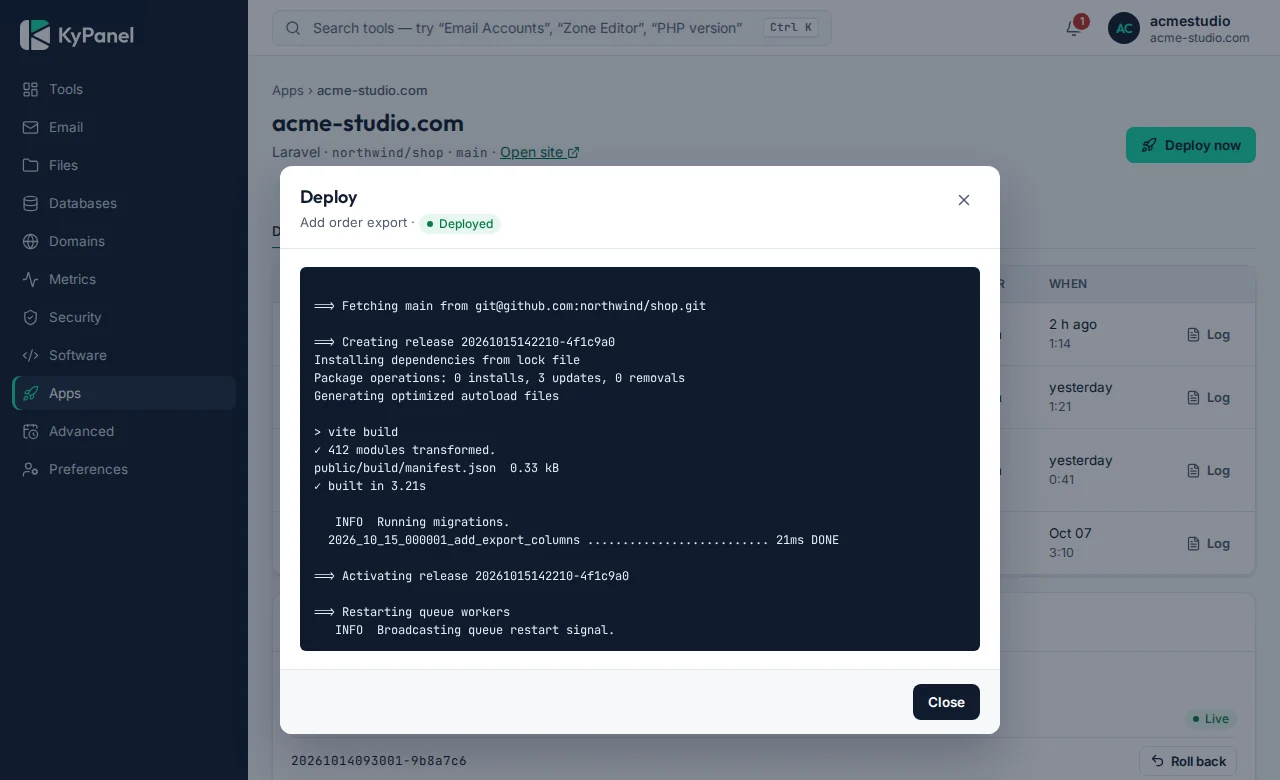
Deploy log of a Laravel app in the customer panel
The deploy log of a Laravel app.

Processes, scheduler and Reverb

Long-running commands such as queue workers, Horizon or any daemon are restarted if they stop, with a log each. The Laravel scheduler runs every minute when turned on. Laravel Reverb runs as the app's WebSocket server and is routed through the app's domain on port 443.

Environment, Valkey and logs

Environment
Edit shared/.env or the process variables in the panel. Every save keeps a version you can look back at.
Composer
An auth.json for private package repositories, used during deploys only.
Redis
A Redis-compatible instance (Valkey) for the account, with a password and a memory size. The app's .env gets the connection.
Logs and commands
The app's logs, and one-off commands in the live release, such as php artisan cache:clear.

What you control

  • Apps is a feature in the feature lists: on for an app plan, off for a mail-only plan.
  • CPU, memory, I/O, processes and PHP workers come from the package, and an app's processes count against them.
  • Apps run as the account's user, in the account's own filesystem, like its PHP and cron jobs.
  • A Node.js or Python app listens on a local port that only its own process can answer on, reached through the web server.
  • GitHub connections use your own GitHub App, set up once in Ky Admin. Git servers on private networks work only when you allow them.
  • Each app takes a domain or subdomain of the account, so the package's domain and resource limits decide how many apps an account can run.
  • No extra license. App hosting is part of every KyPanel license.

What it doesn't do

  • PostgreSQL databases. Apps use MariaDB and Valkey.
  • Docker or other container images.
  • Scaling an app across servers. An app runs in one account on one server, within its package.